All your accounts,
one terminal.
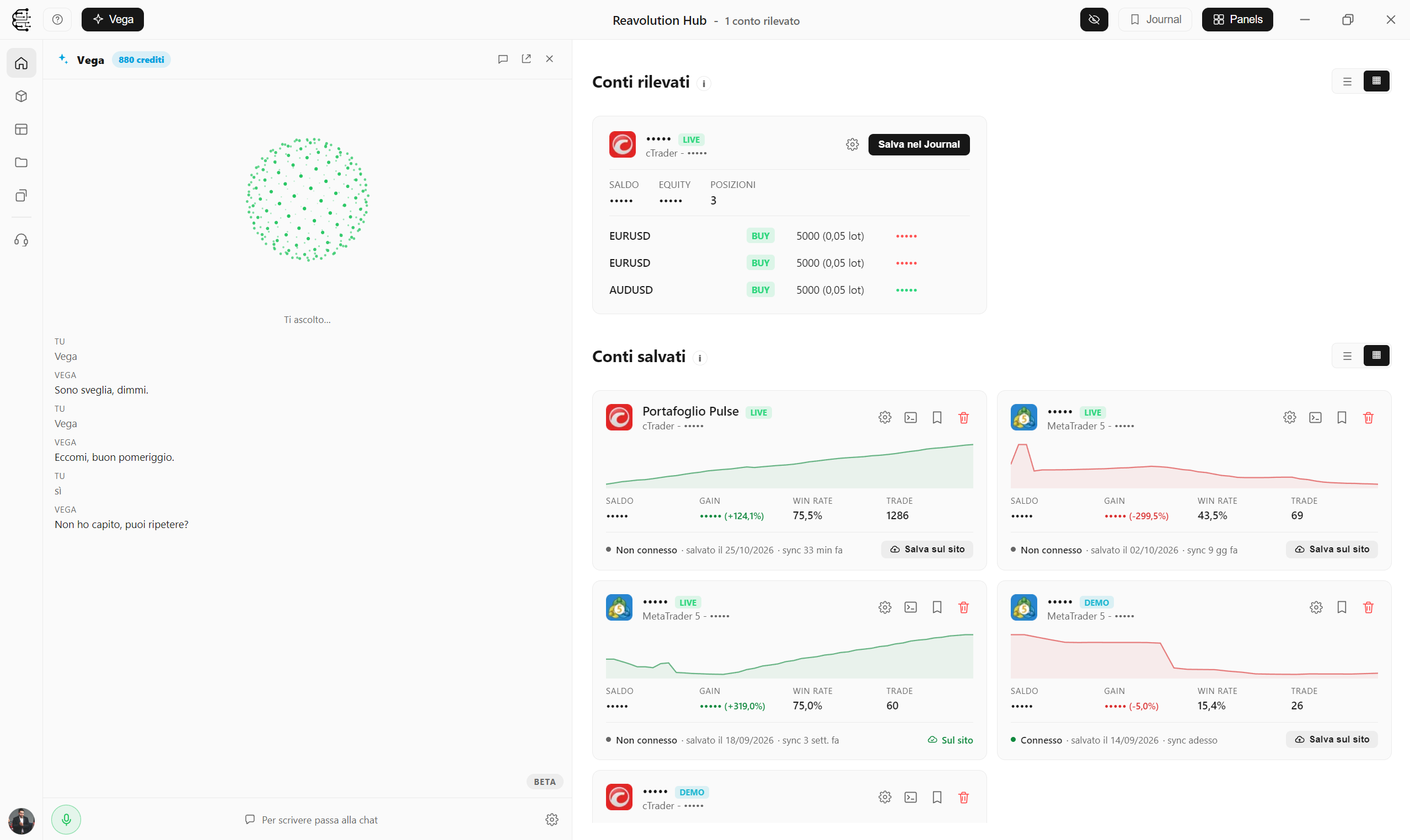
Reavolution Hub brings MetaTrader 5 and cTrader into a single dashboard: real-time monitoring, a Trading Desk with real orders, automatic journal, backtest, tool kit, multi-account copier and built-in Vega AI.
Everything you need, in one place
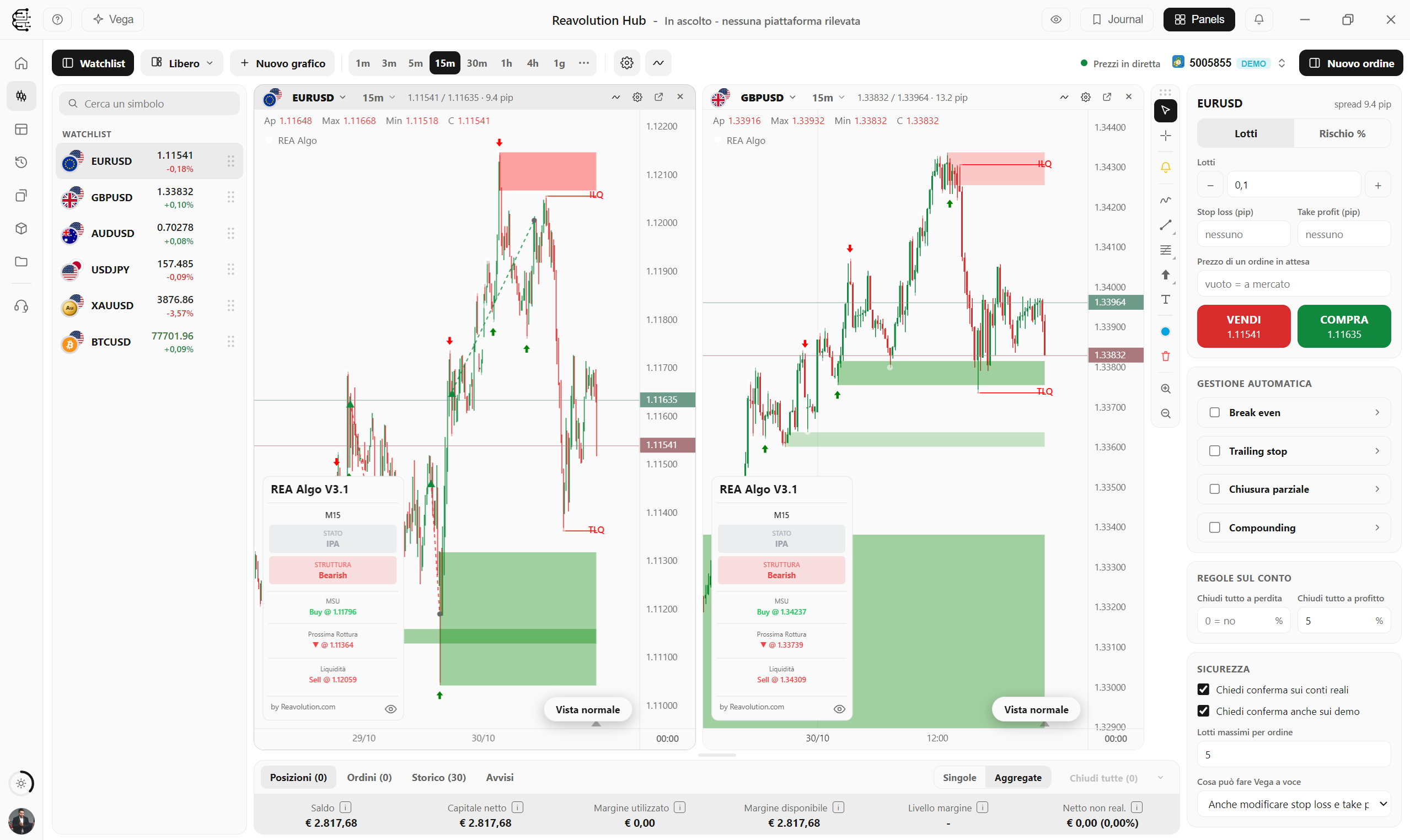
The terminal: real charts and real orders
Charts with the prices and history of your MT5 or cTrader account and real orders from the panel or the chart: lots or risk in %, stop and take profit, pending orders, automatic management and price alerts. Four layouts, detached windows that reopen with the Hub and tools (calendar, news, COT...) next to the charts.
Discover Trading Desk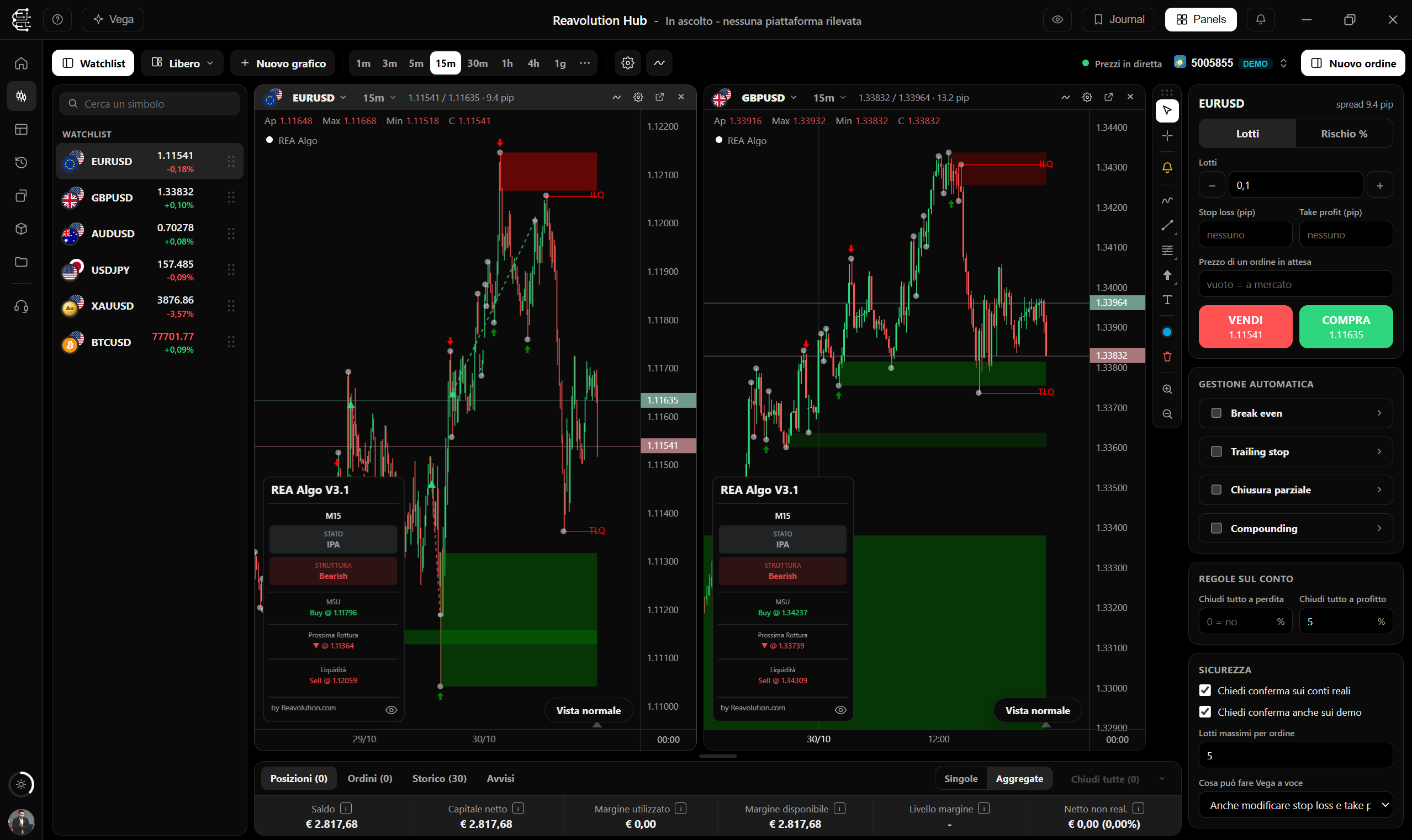
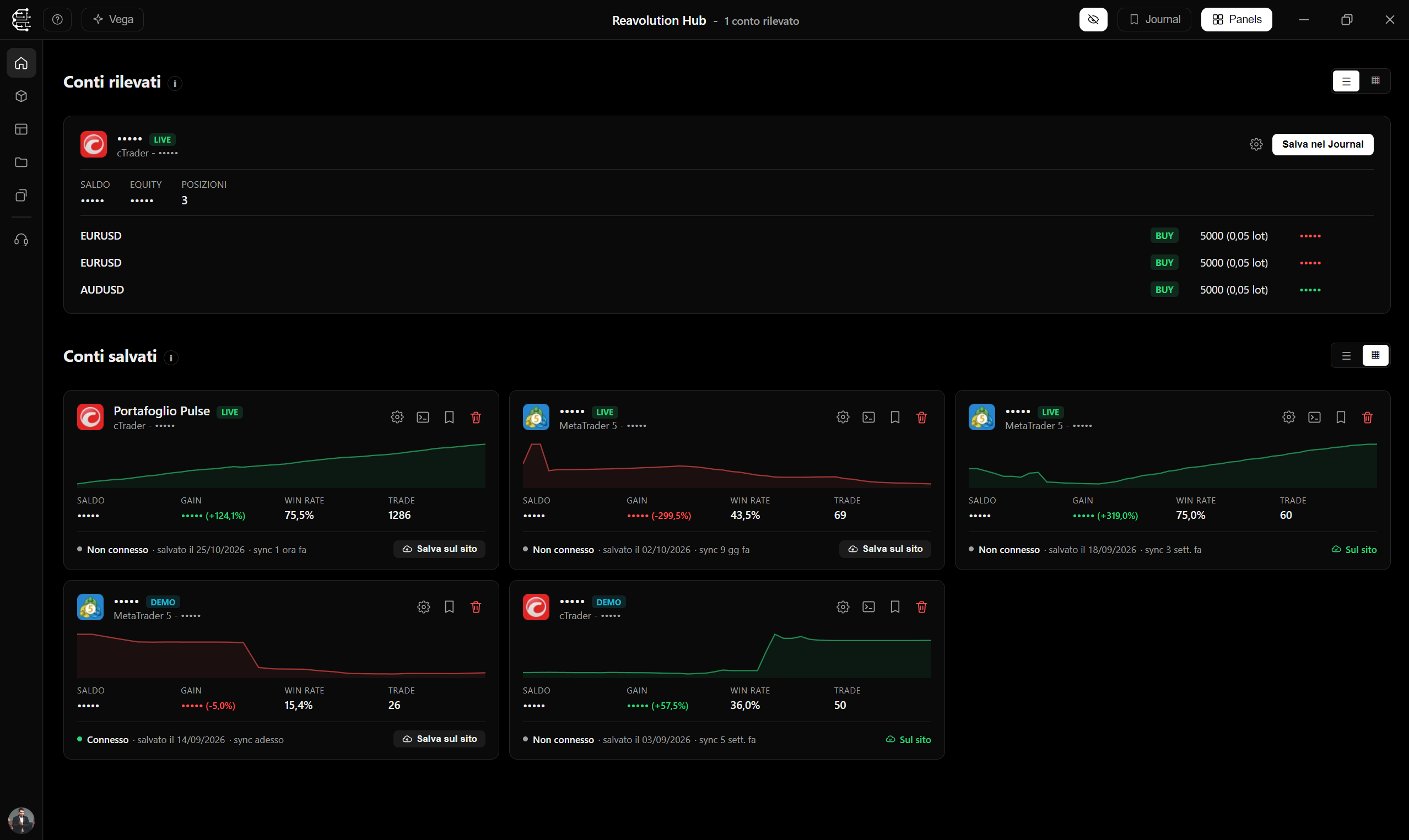
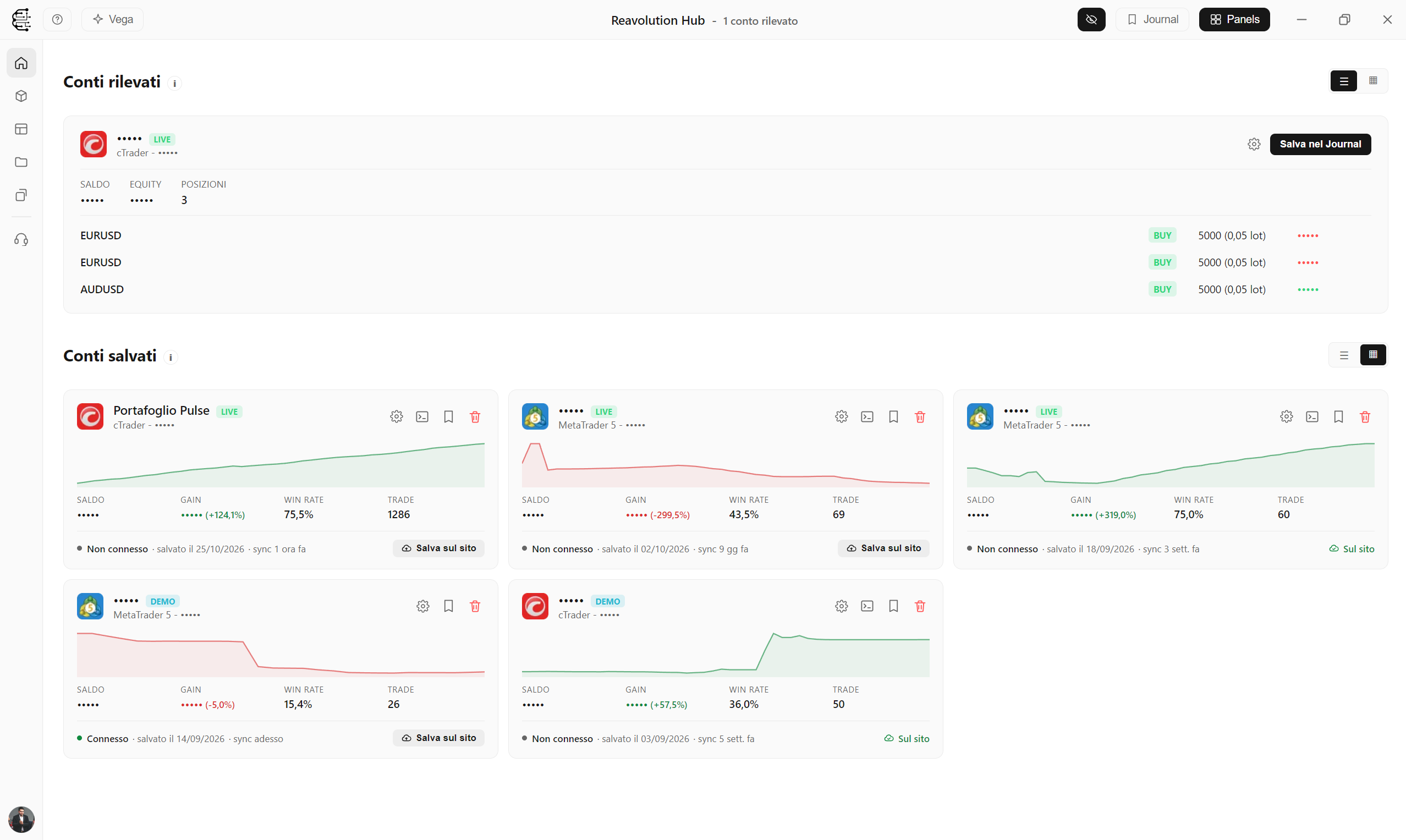
Multi-account dashboard
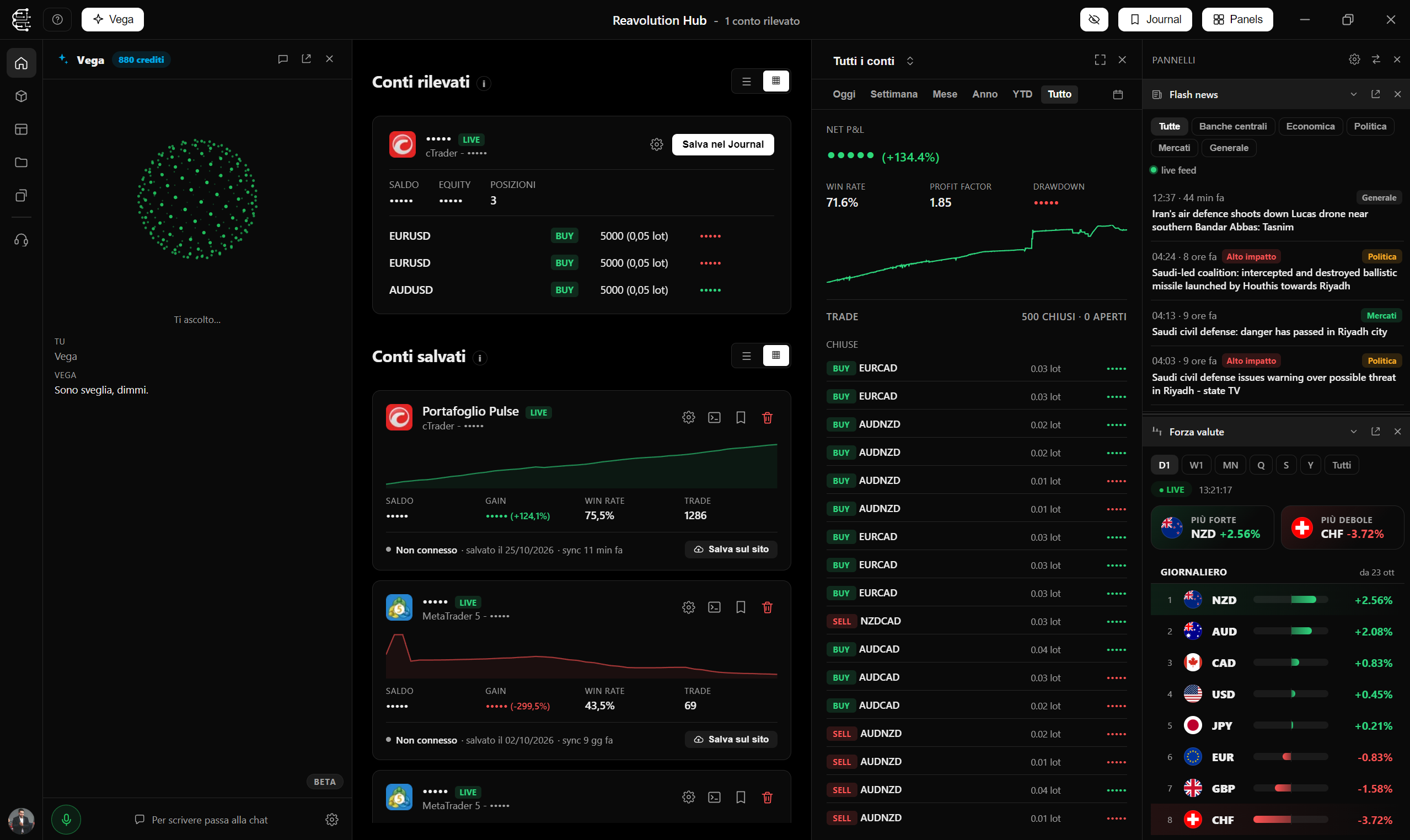
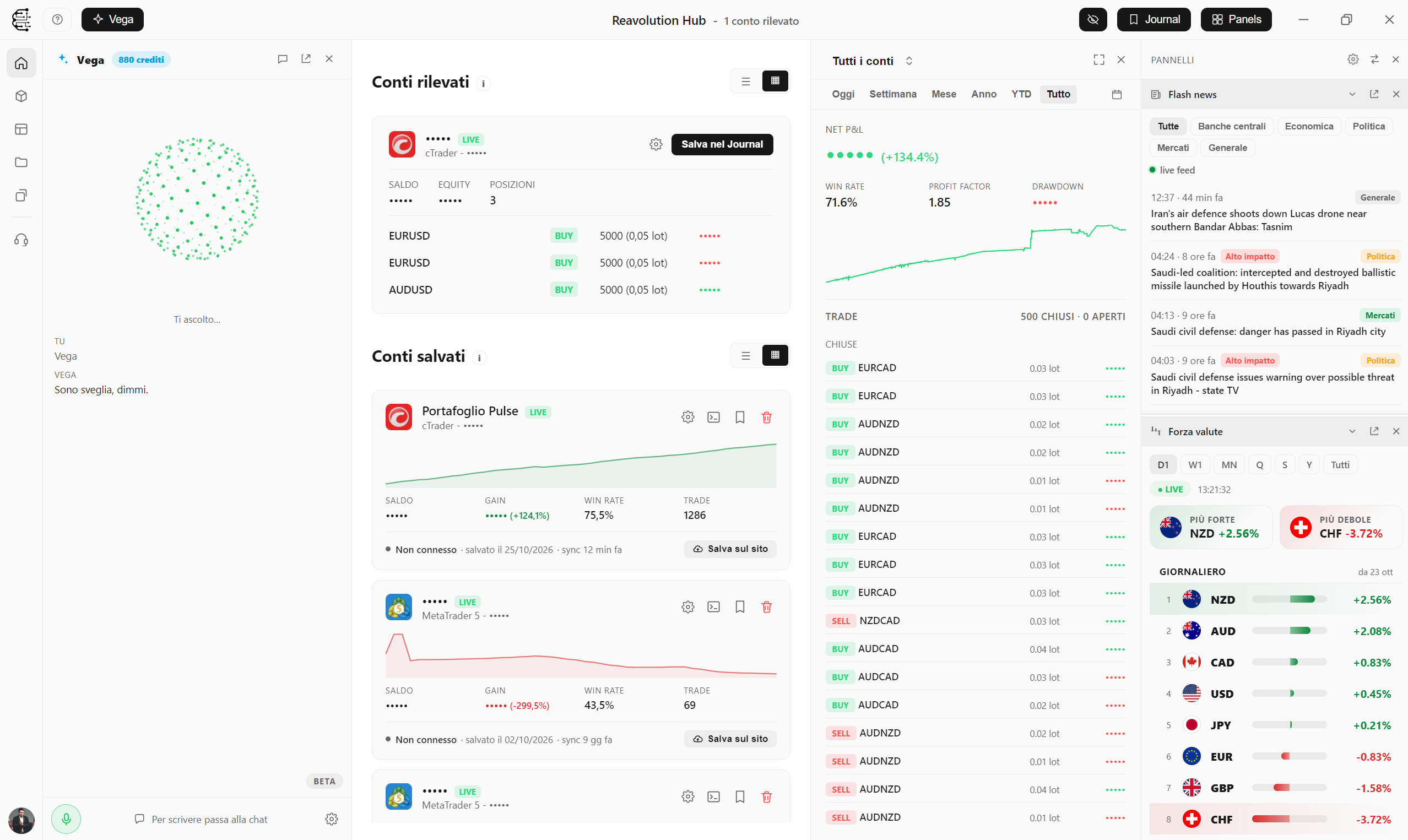
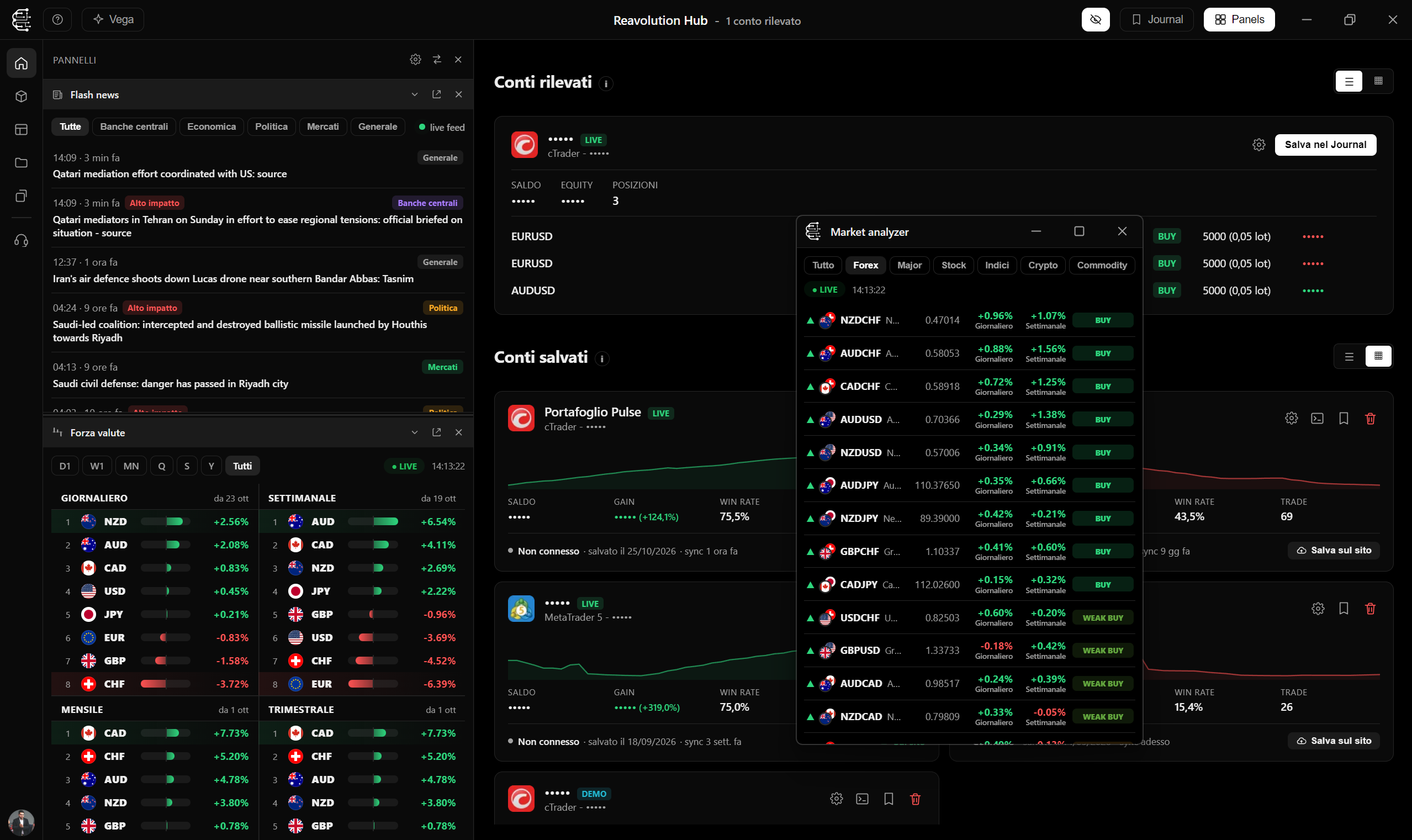
The Hub automatically detects MT5 and cTrader instances open on your PC and shows live balance, equity and positions of every account.
- Automatic account detection
- Real-time balance, equity and positions
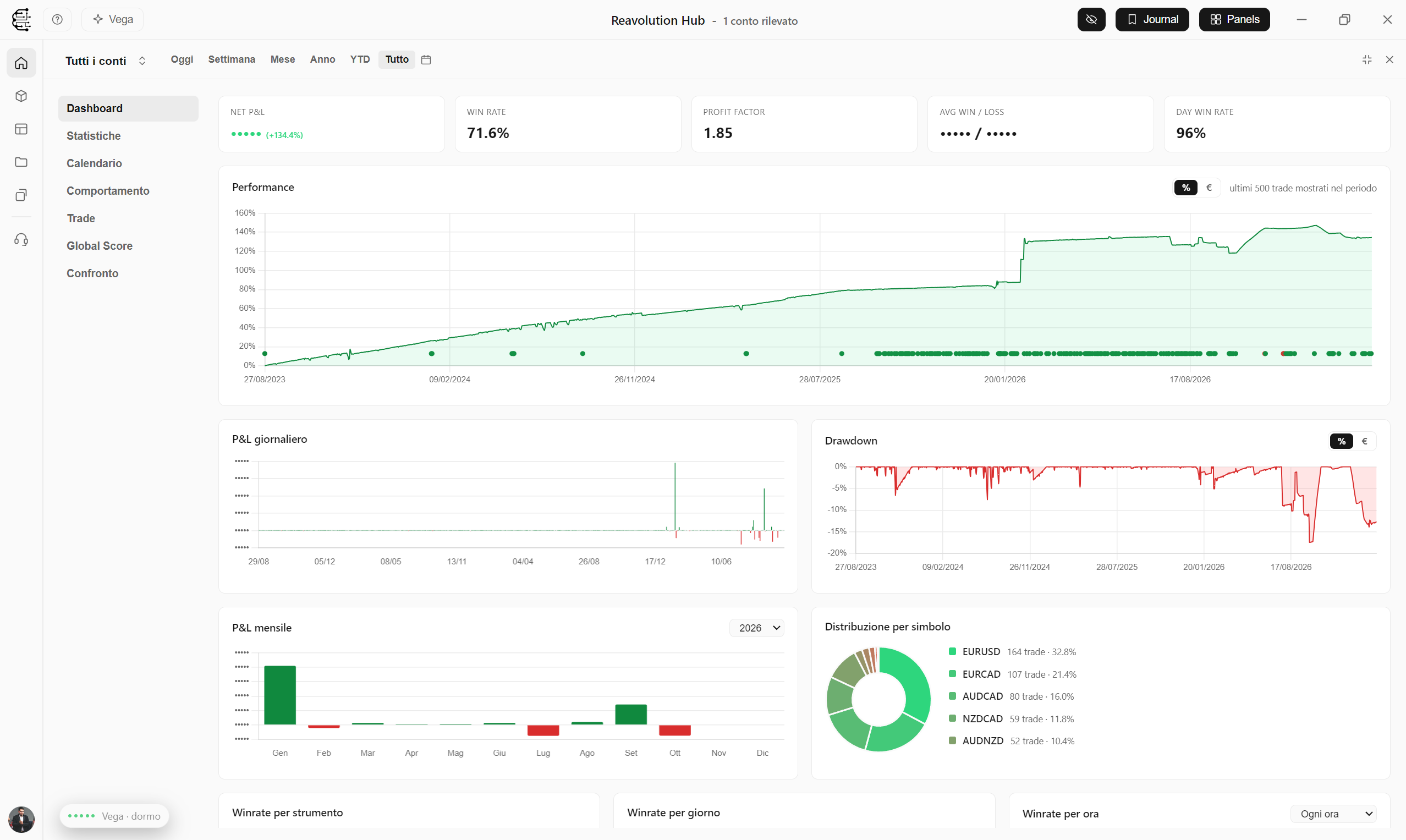
Automatic journal, nothing to export
Your trade history syncs by itself. Statistics, calendar, drawdown and win rate by symbol, day and hour, also linkable to your account on the website.
Discover the Journal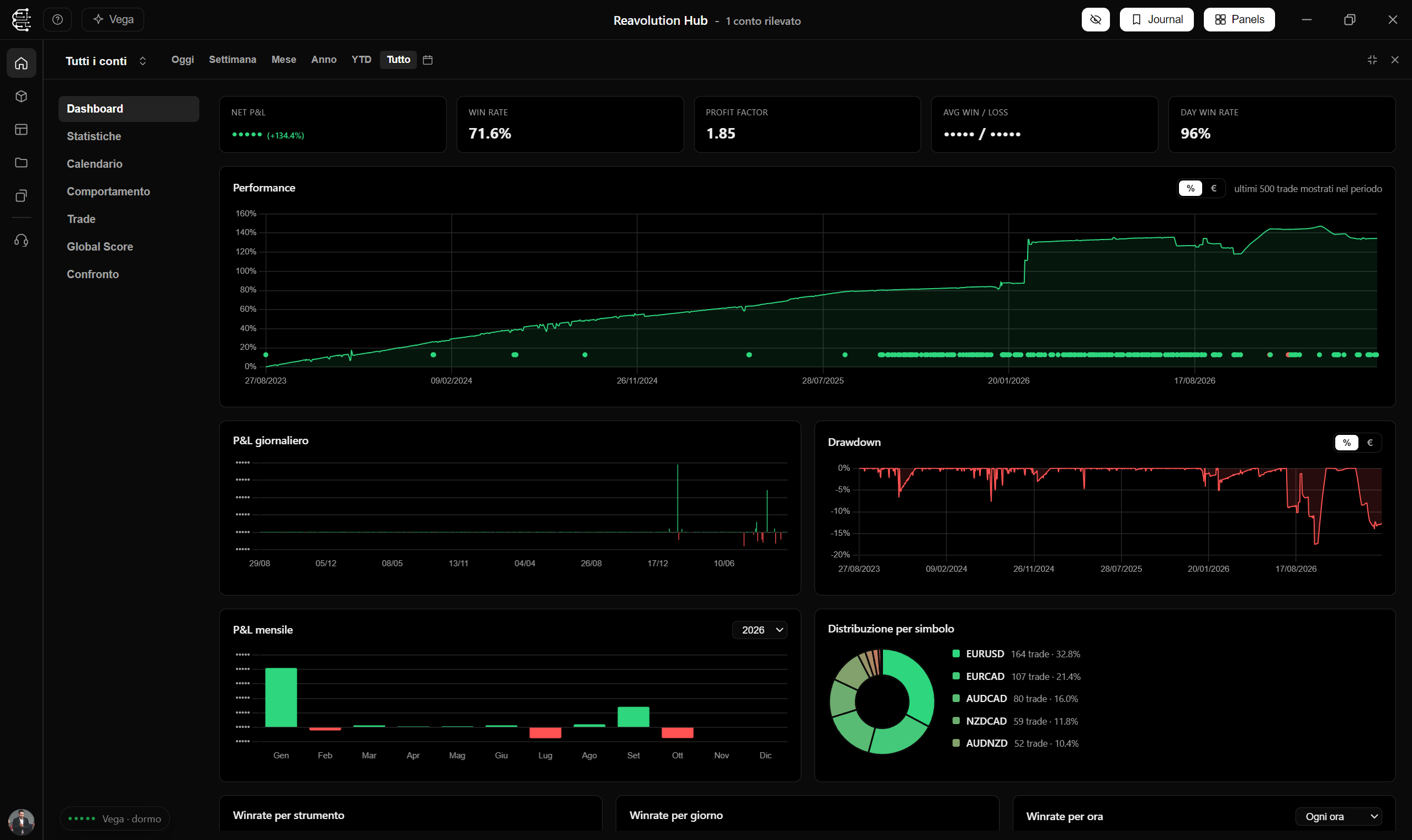
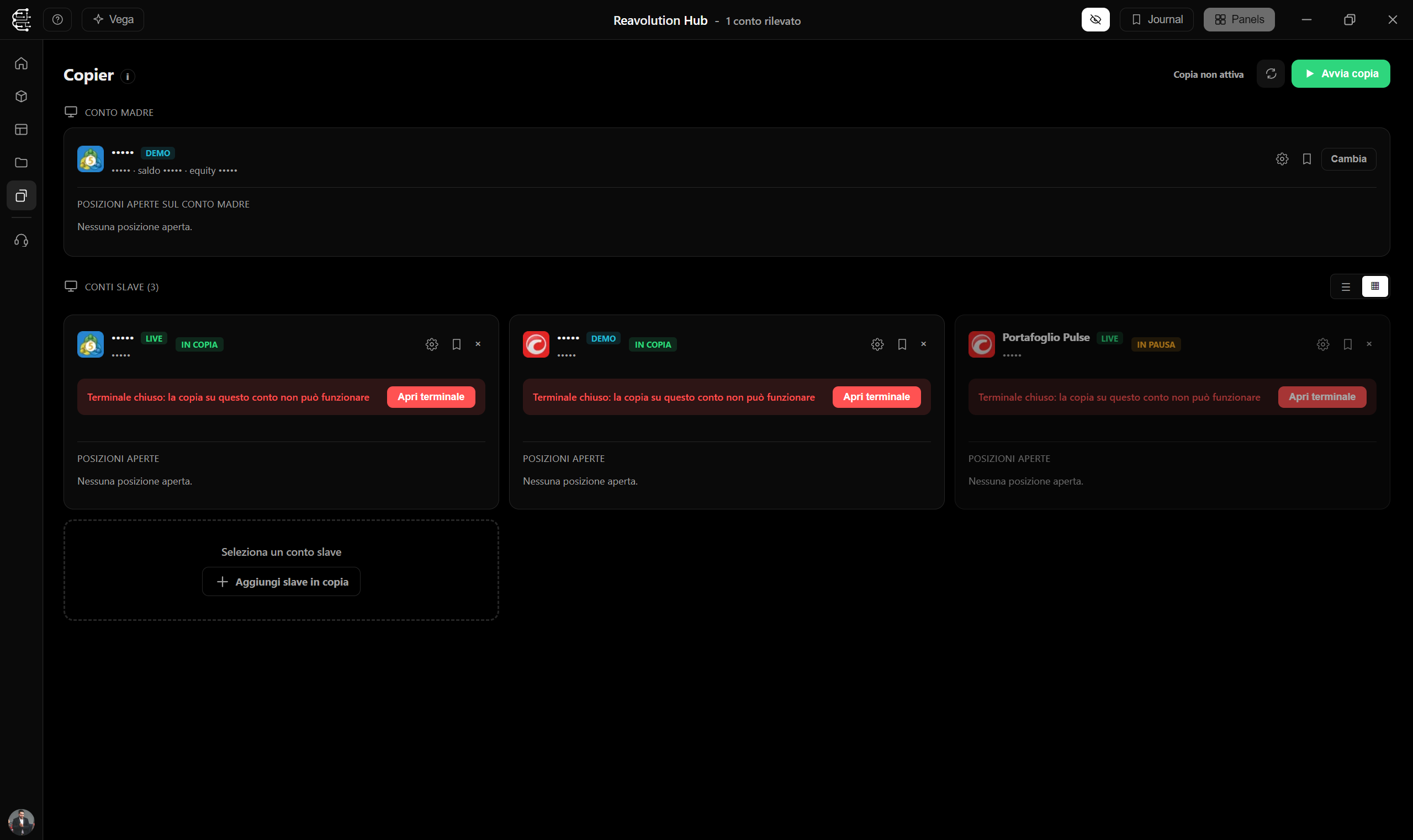
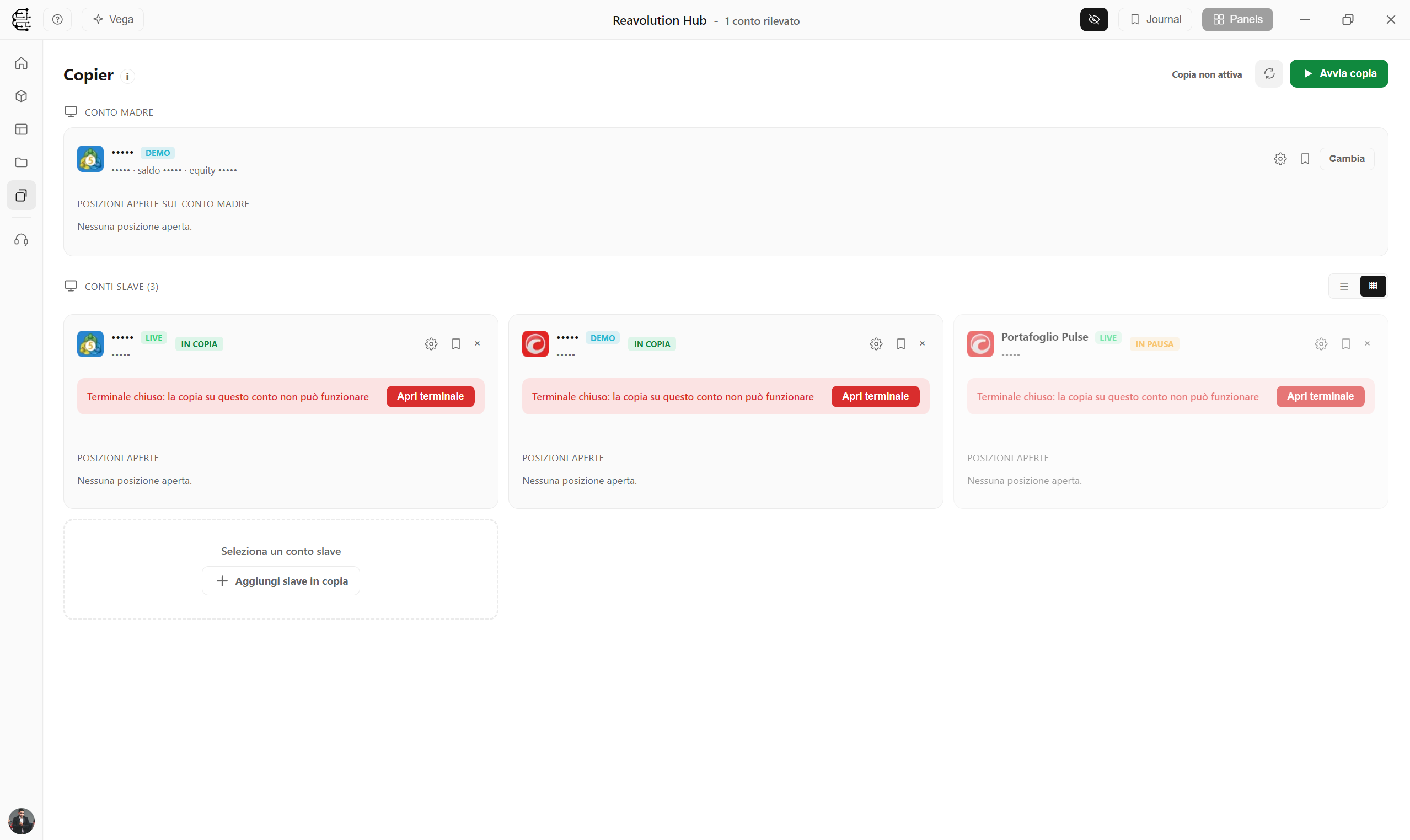
Multi-account copier, across MT5 and cTrader
Copy trades from a master account to several accounts, even across different platforms, with customisable size and symbols.
- From one master account to many
- Customisable size and symbols
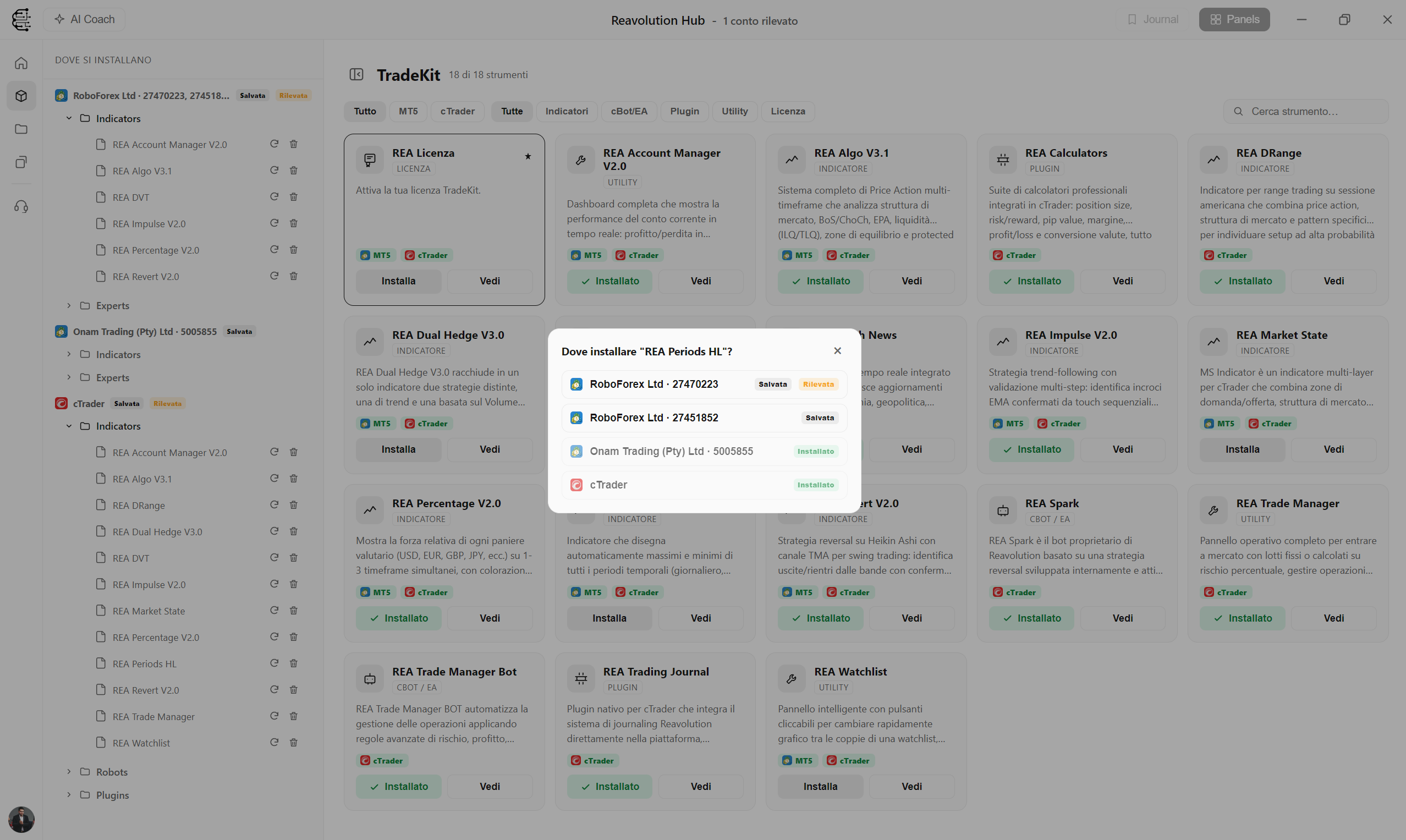
Install REA tools with one click
Reavolution indicators, bots and templates install on MT5 or cTrader straight from the Hub, with ready-made cards and presets.
Discover TradeKit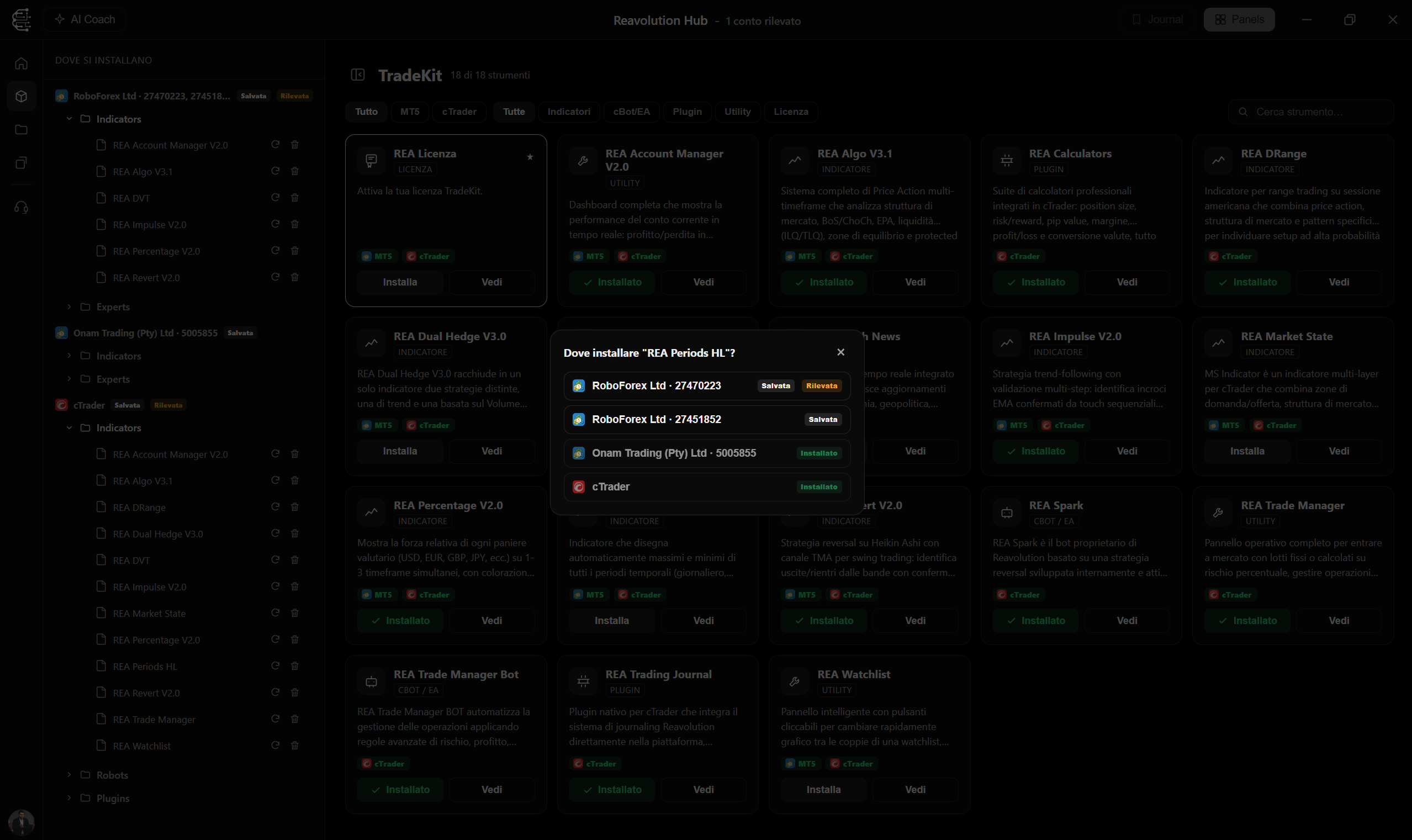
The tools next to your charts
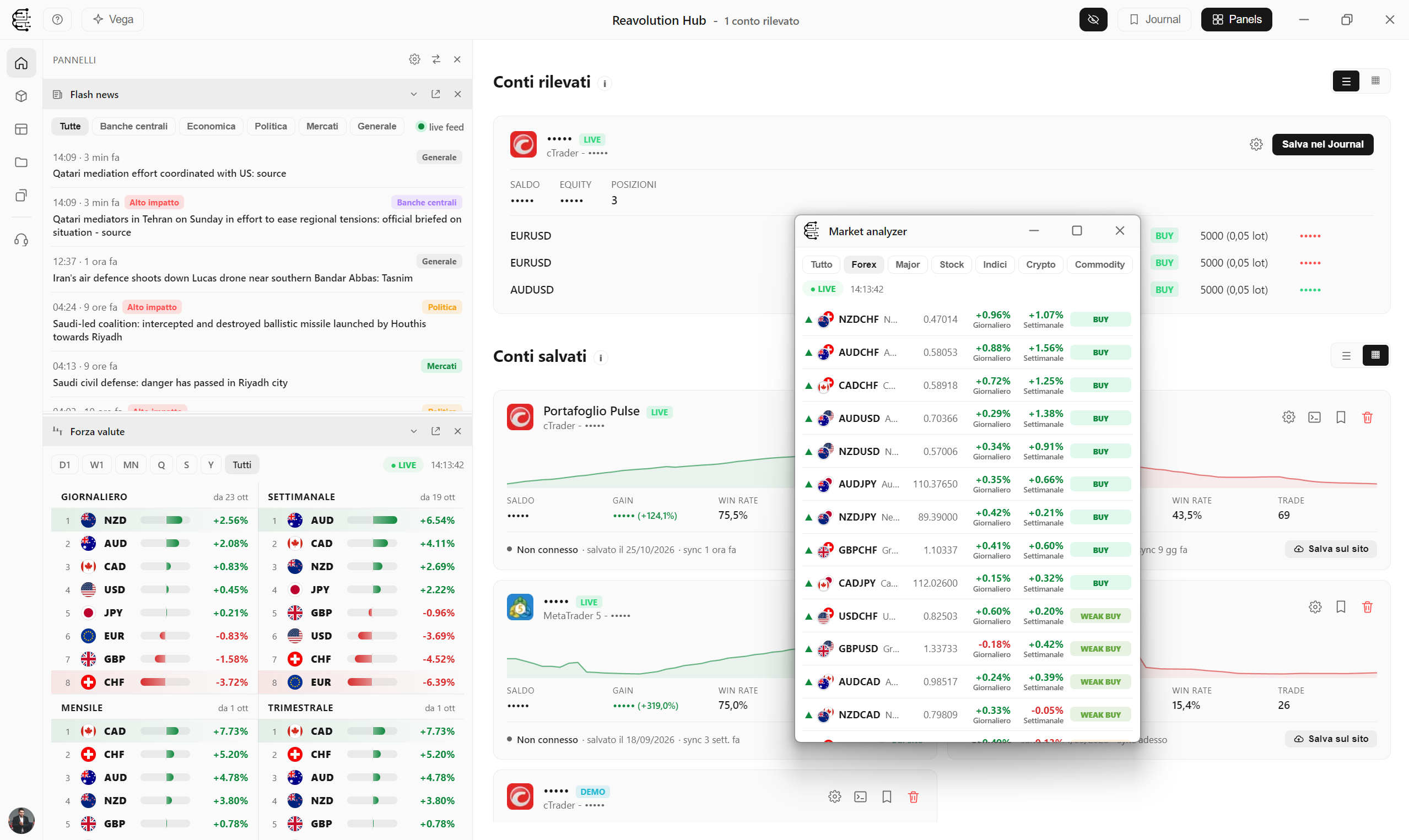
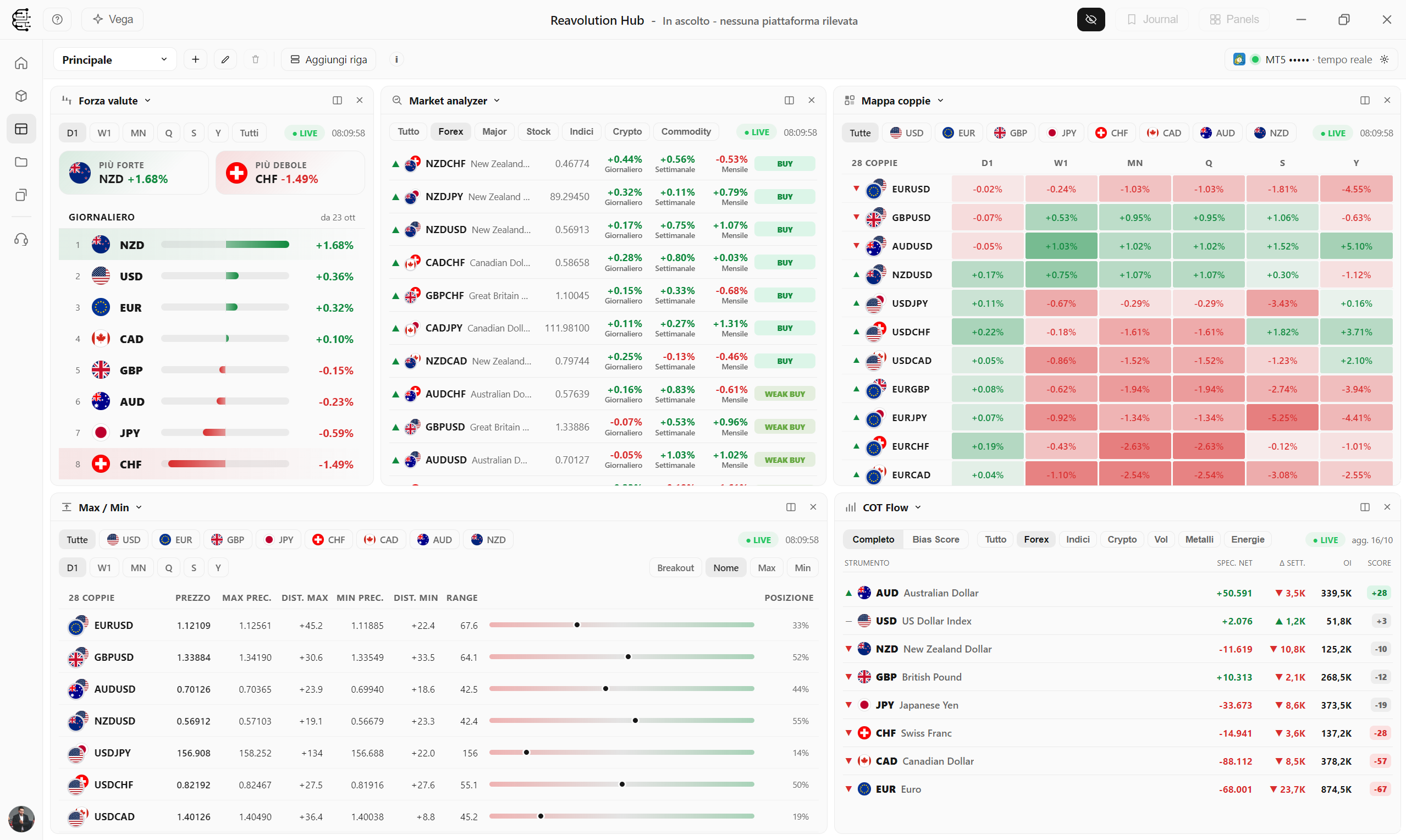
Economic calendar, flash news, calculators, COT Flow, Market Analyzer, ETF Rotation and the new Currency Strength, Pairs Map, Max / Min and Correlations become dockable panels, just like in MetaTrader, with live prices from your account.
Your workspace, in tiles
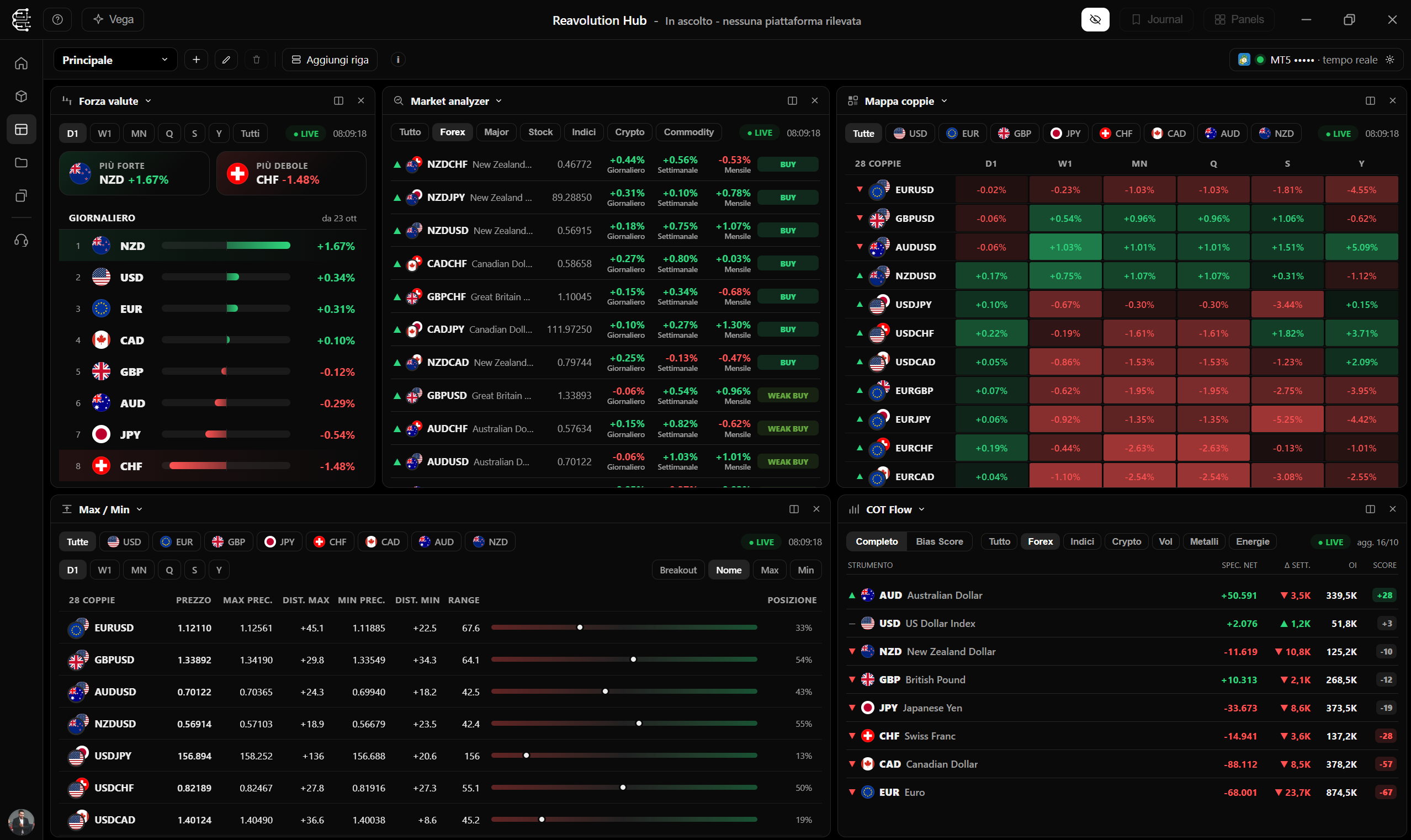
The Terminal page is a trading desk: put several tools side by side (Analyzer, COT, calendar, currency strength...), resize them, drag them around and save multiple workspaces, even with the same tool repeated and different filters.
- Multiple saved workspaces with a quick selector
- Tiles you can resize and drag with the mouse
- Live data from the account you choose
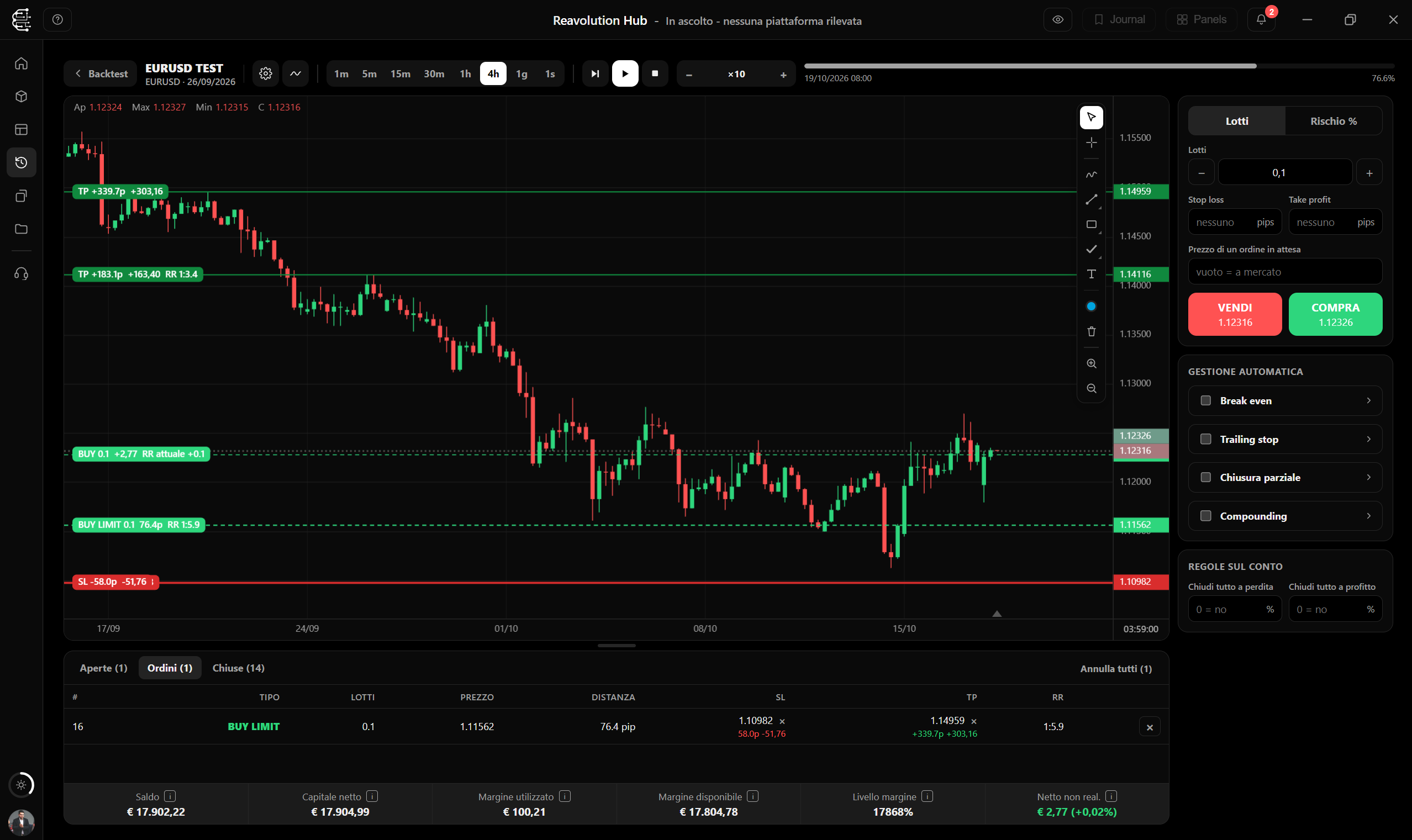
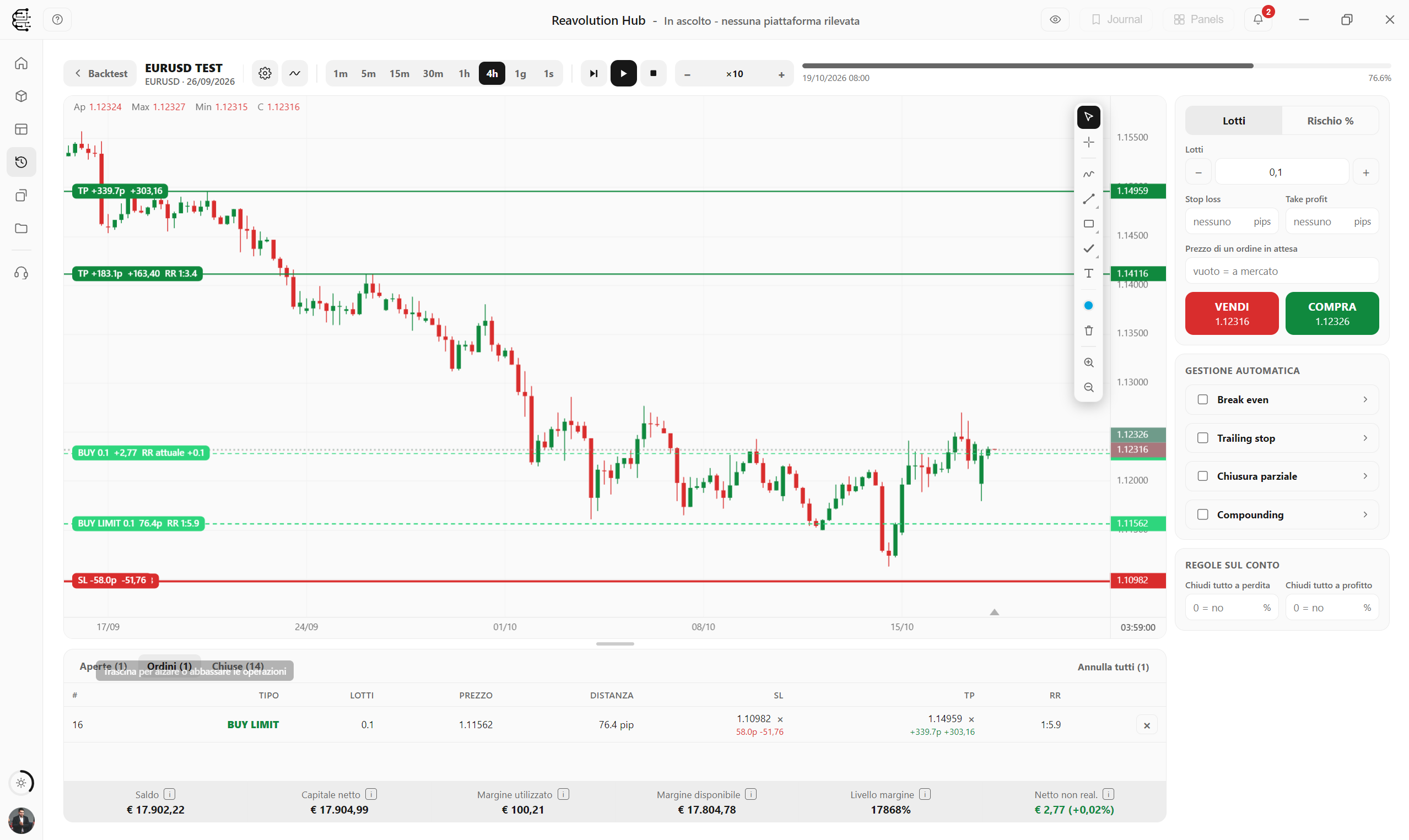
Put your ideas to the test on historical markets
Backtest lets you replay the past candle by candle, or tick by tick, and trade as on a real account: market and pending orders, break even and trailing in R, spread, swap, slippage and margin. 40+ indicators, including our REA ones, and the results in the Journal.
- Data from your MT5 or cTrader broker, stored on your PC
- Free to try: 30 days of bars and 5 of ticks
- With a plan: up to 5 years of bars and 1 year of ticks
Vega AI: you talk, it acts
Say “Vega” and ask: it opens pages and panels, drives the Journal, moves Terminal tiles and analyses your trades with the context of calendar, news, COT and ETF. It also works by text. Beta version.
Discover Vega AI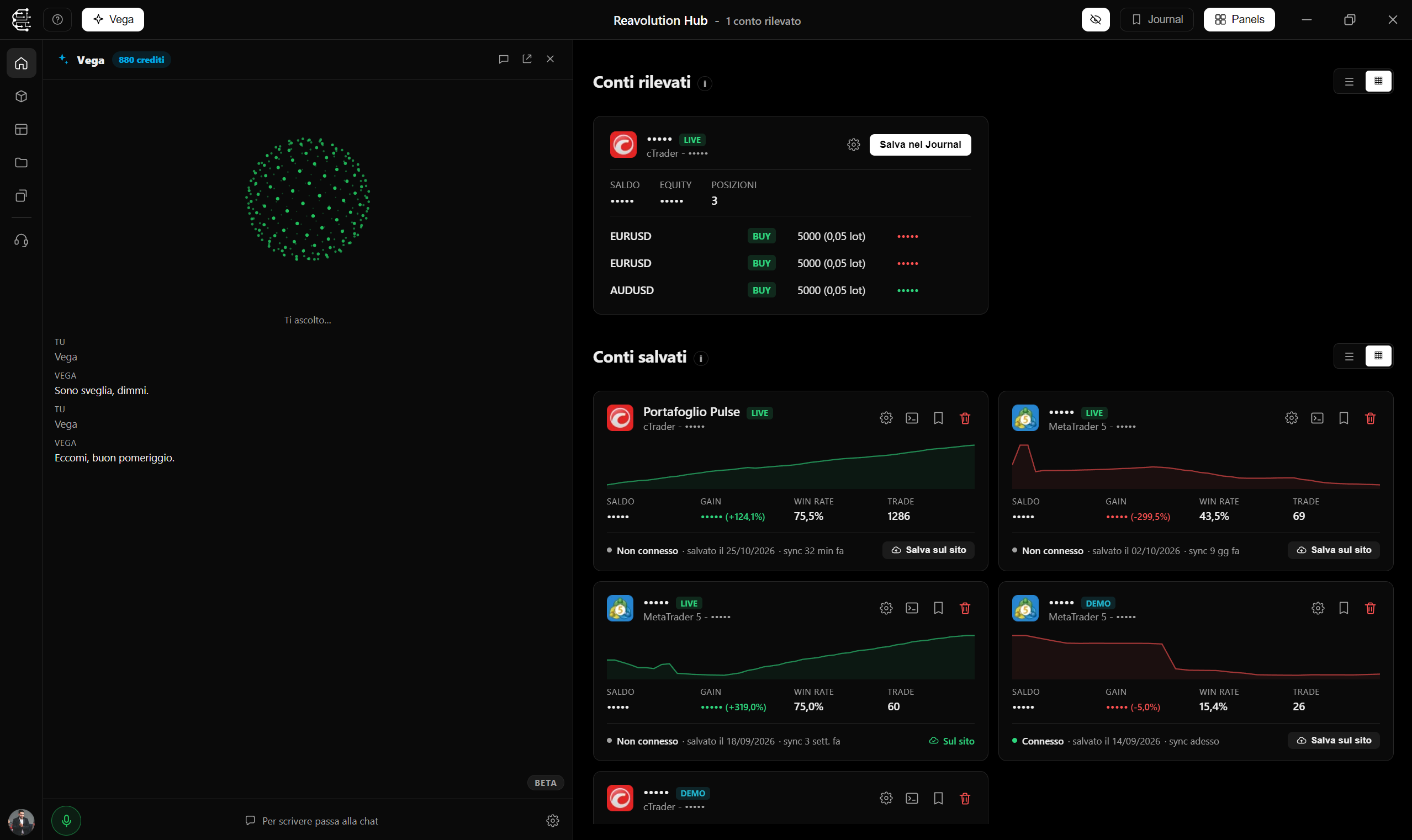
Up and running in three steps
Download and run the installer
No wizard: it installs and starts by itself.
Open MT5 or cTrader
The Hub detects them automatically, no manual setup.
Log in and start
Log in with your Reavolution account: Journal, TradeKit, Copier and Vega AI are ready.
Frequently asked questions
The app is free to download and Backtest can be tried right away, with 30 days of bars and 5 of ticks; many advanced features (advanced Journal, Market Analyzer, COT Flow, ETF Rotation, Copier, REA indicators and extended Backtest history) are reserved for Reavolution subscribers.
Windows 10 and 11. macOS and smartphone support will come in the future.
On first launch Windows SmartScreen may ask for confirmation ("More info" → "Run anyway"). We are working on code signing to remove the warning.
Updates arrive automatically inside the app: you don't need to download anything by hand.
Your account data stays on your PC: the Hub works with local data.
Bring all your trading into one app
Download Reavolution Hub for Windows and connect your accounts in minutes.